
Start here
Voterra turns your county’s voter roll into a daily plan for your team: every voter scored, walking routes cut friendlies-first, doors knocked and logged live from a phone, and the results back on your map before the canvasser is home.
Getting an account
Section titled “Getting an account”There’s nothing to install and nothing to set up — Voterra runs in the browser, on any laptop or phone.
- Joining an existing campaign? Someone on your team sends you an invite link. Open it, set your password, and you’re in — your account already knows your role and your turf.
- New customer? Your onboarding includes standing up your organization: your county’s map, your voter roll, and your first admin login arrive ready to use. From there, Campaign Setup gets your whole team in — usually in an afternoon.
Logging in
Section titled “Logging in”Go to your organization’s Voterra address and sign in with your email and password. That’s the whole ceremony.
More on invites, passwords, and roles: Logging in & accounts.
Your first ten minutes
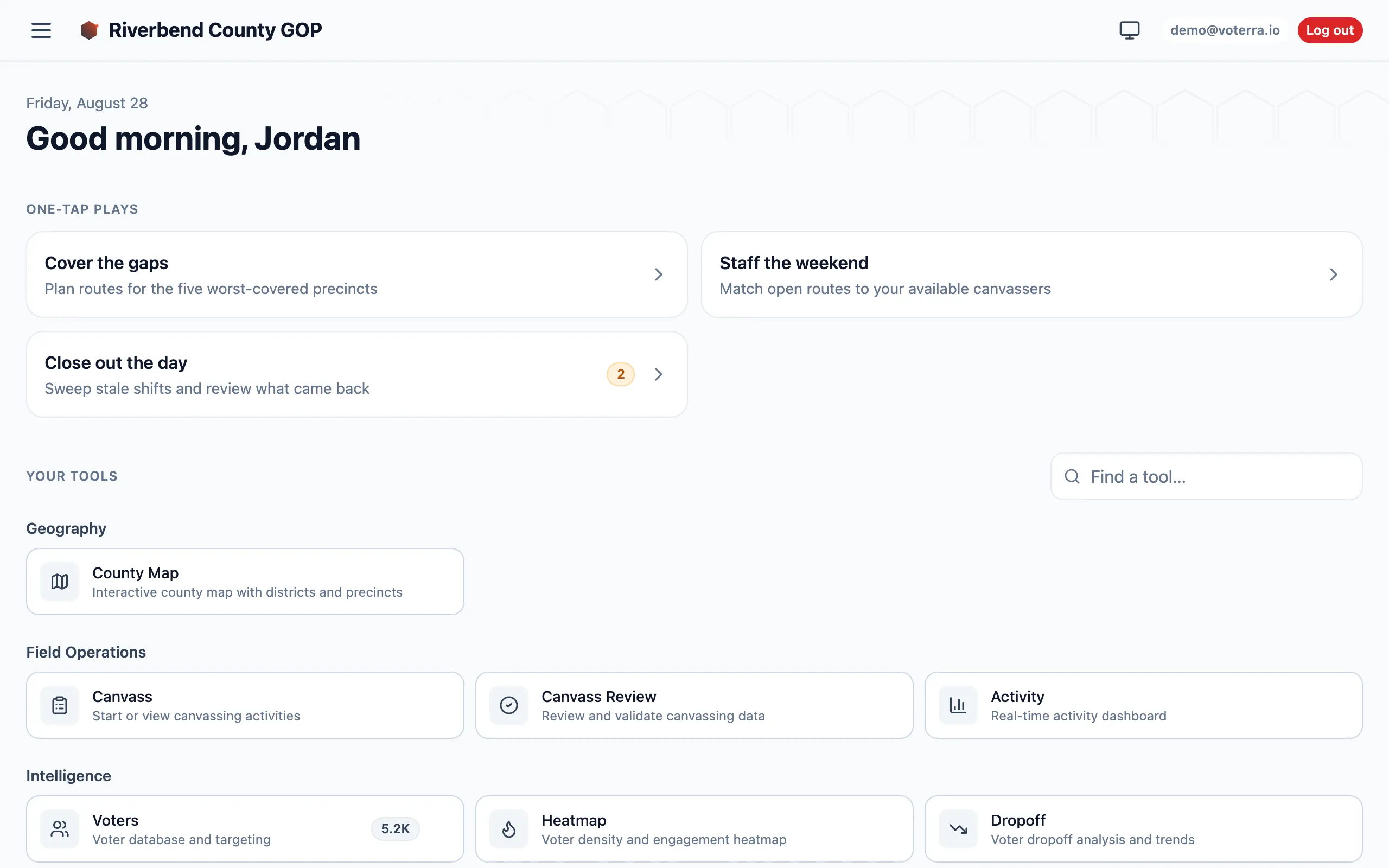
Section titled “Your first ten minutes”What you land on depends on your role — a canvasser lands on their doors, a coordinator on Home. A candidate lands on Home too, with a “Your team” play showing who is working their race; their walkthrough is Candidate. Here’s a coordinator’s first look:
-
Read your plays. The cards at the top are one-tap plays — “Cover the gaps”, “Staff the weekend”, “Close out the day”. When a play has work waiting, it shows a count of how many items pressing it would actually act on. No count means nothing is waiting; the play still works. Tap one and Voterra drafts the move for you to review before anything commits.
The tiles further down can carry a number too, but it means something different: a tile count is inventory, not work. The Voters tile shows how many voters are in your roll — and if your account is scoped to a turf, it shows your turf’s number, not the county’s.
-
Open the County Map. Your whole county at a glance — voter counts and scores by district, drilling down to subregions and precincts. This is where most mornings start.
-
Find a voter. Open Voters, type a name or address, or filter by precinct and score. Every list you build here can become a walking route or a mail list.
-
Check the field. Activity shows every door knocked today, by whom, with what outcome — live, as it happens.