
Import a voter roll
What you’ll need
Section titled “What you’ll need”- An Excel (
.xlsx) or CSV voter roll with at minimum: voter ID, name, address, registration date, party, birth year. Your county clerk’s standard export works as-is. - An Admin or Org Manager login.
Importing your roll
Section titled “Importing your roll”Drop your county’s roll file into the import screen in the Admin area. You’ll see a preview of how the columns were matched — correct any the importer didn’t recognize — then start the import and watch it run: parse, normalize, score, geocode, commit.
Don’t want to do it yourself? Your Voterra onboarding includes loading your roll — send us the county export and it arrives scored and mapped. Very large rolls can take a while to process either way; you don’t need to babysit it.
What the importer does for you
Section titled “What the importer does for you”- Reads the file — Excel or CSV, straight from the county system.
- Normalizes addresses — cleaned and split into components so filtering and mapping work.
- Scores every voter — applying your organization’s configured weights, so the roll arrives already ranked. See Voters & scoring.
- Geocodes — optionally places every voter on the map.
- Commits — everything lands in your organization’s roll, and nowhere else.
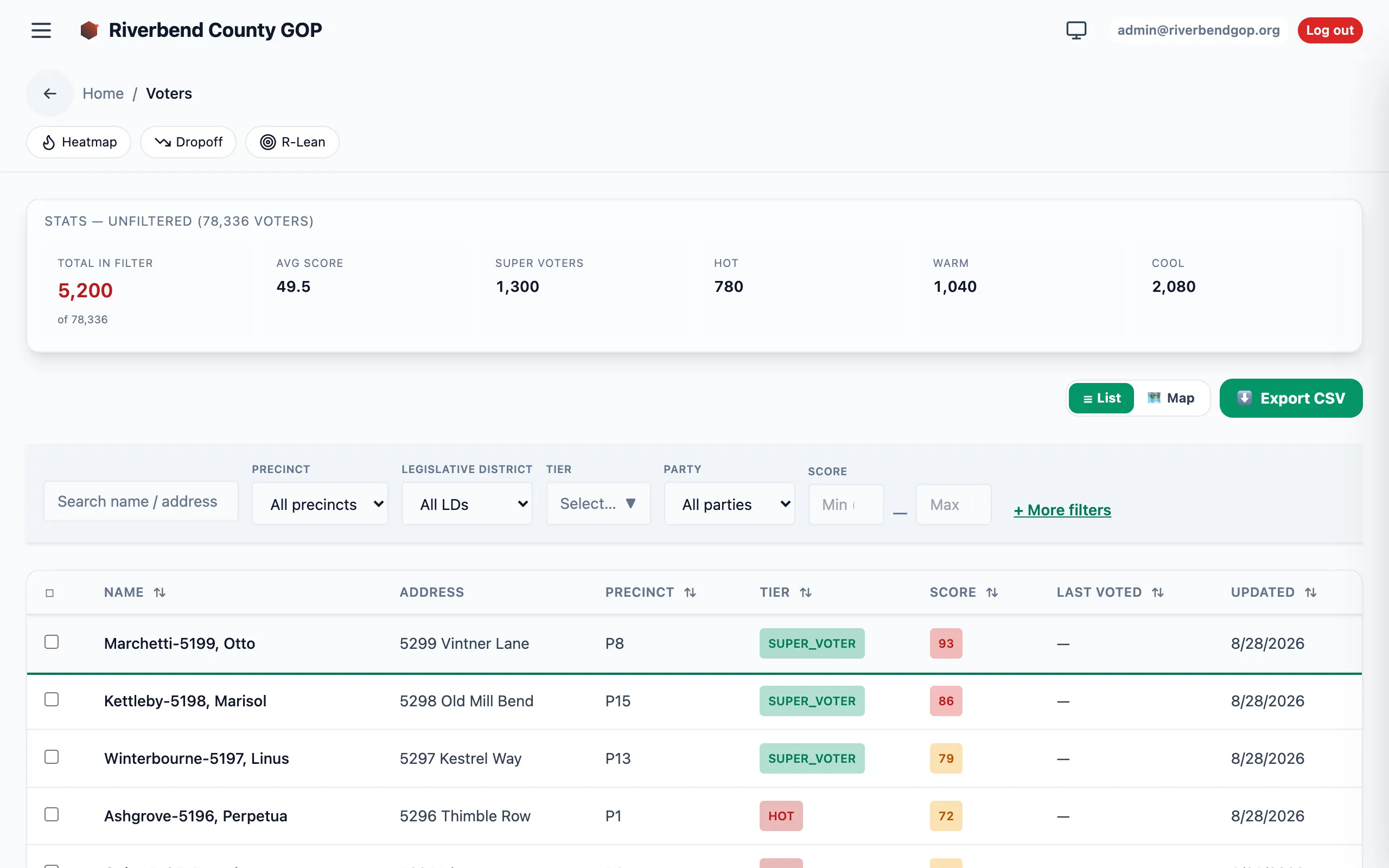
What a freshly imported roll looks like — every voter scored, tiered, and ready to filter.
Re-imports
Section titled “Re-imports”Re-uploading the same file updates existing rows (matched by voter id) and inserts new ones. Existing scores are recomputed from the incoming data. Rows in the database that are not present in the new file are left alone — the importer never deletes. To retire stale voters, mark them via a roll-cleanup AAR entry rather than trusting the import to catch the absence.
The diff between the previous roll and the new one is surfaced for admins in the Data Changes view.
Troubleshooting
Section titled “Troubleshooting”| Symptom | Cause | Fix |
|---|---|---|
| Column preview is empty | Header row isn’t the first row of the sheet | Trim preamble rows before upload, or re-export from the county system without the summary header. |
| ”Voter id collision” warnings | Same voter id with conflicting name/address | The importer keeps the incoming row and logs the difference. Review the warnings; manual reconciliation is usually needed. |
| Score distribution looks wrong after import | Your organization’s scoring weights weren’t applied | Contact your Voterra team — weights are a per-organization setting. |
| Voters missing from the map | Geocoding wasn’t available during the import | Coordinates can be backfilled after the fact — ask your Voterra team. |
| Upload is rejected as too large | Very large roll file | Send the file to your Voterra team and we’ll load it for you. |