
Intelligence & targeting
The intelligence suite is how analysts and coordinators turn a scored roll into a targeted universe — the specific set of doors worth knocking this week. Every view here reads the same scores and predictions; they just slice them differently.
Voters list
Section titled “Voters list”The Voters view is the searchable, filterable table of the roll. Search by name, filter by tier, party, precinct, score range, or prediction, and open any voter for their full record: registration history, vote history by election, computed score, and predicted turnout / R-ballot / R-lean.
It’s the workbench for hand-building a universe: filter down to the set you want, then create a route or campaign audience from the result.
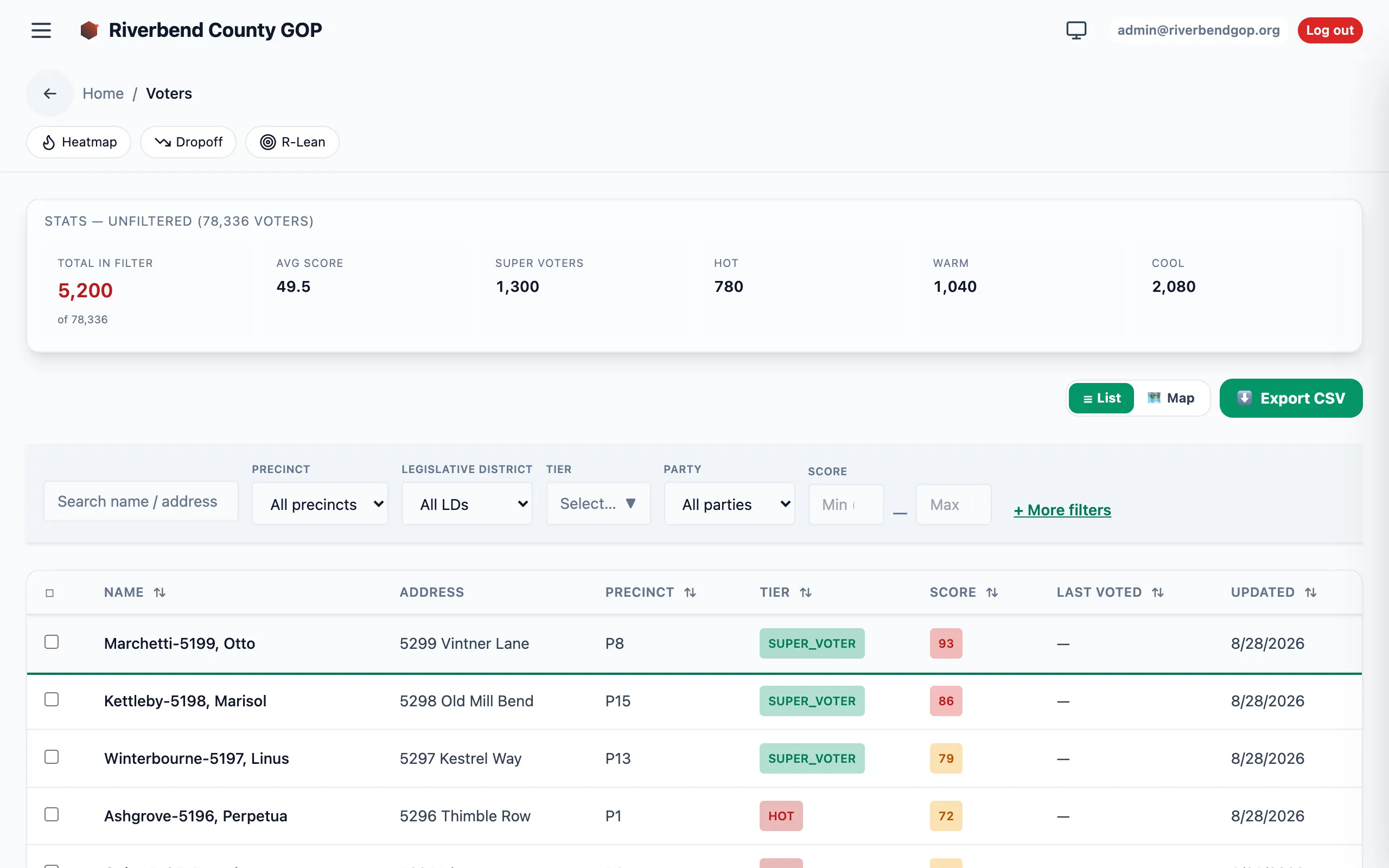
The voters workbench — name and address details blurred for privacy.
Heatmaps
Section titled “Heatmaps”| View | What it maps | Read it for |
|---|---|---|
| Turnout heatmap | Predicted/historical turnout density by geography | Where the reliable voters are. |
| Engagement heatmap | Engagement-tier distribution by area | Where the persuadable middle (Warm tier) clusters. |
Heatmaps answer “where do I spend the next shift” at a glance, before you ever open the voters table.
Drop-off detector
Section titled “Drop-off detector”The Drop-off detector surfaces voters whose participation has declined — people who used to vote and have gone quiet. These are often the highest-leverage GOTV targets: already-registered, previously-engaged, and just needing a nudge.
R-lean targeting
Section titled “R-lean targeting”R-lean ranks voters by the general-election Republican-alignment soft score from the prediction models. Combine it with turnout to cut classic universes — for example, “likely R-ballot, low turnout” is the prime GOTV cut.
Coverage
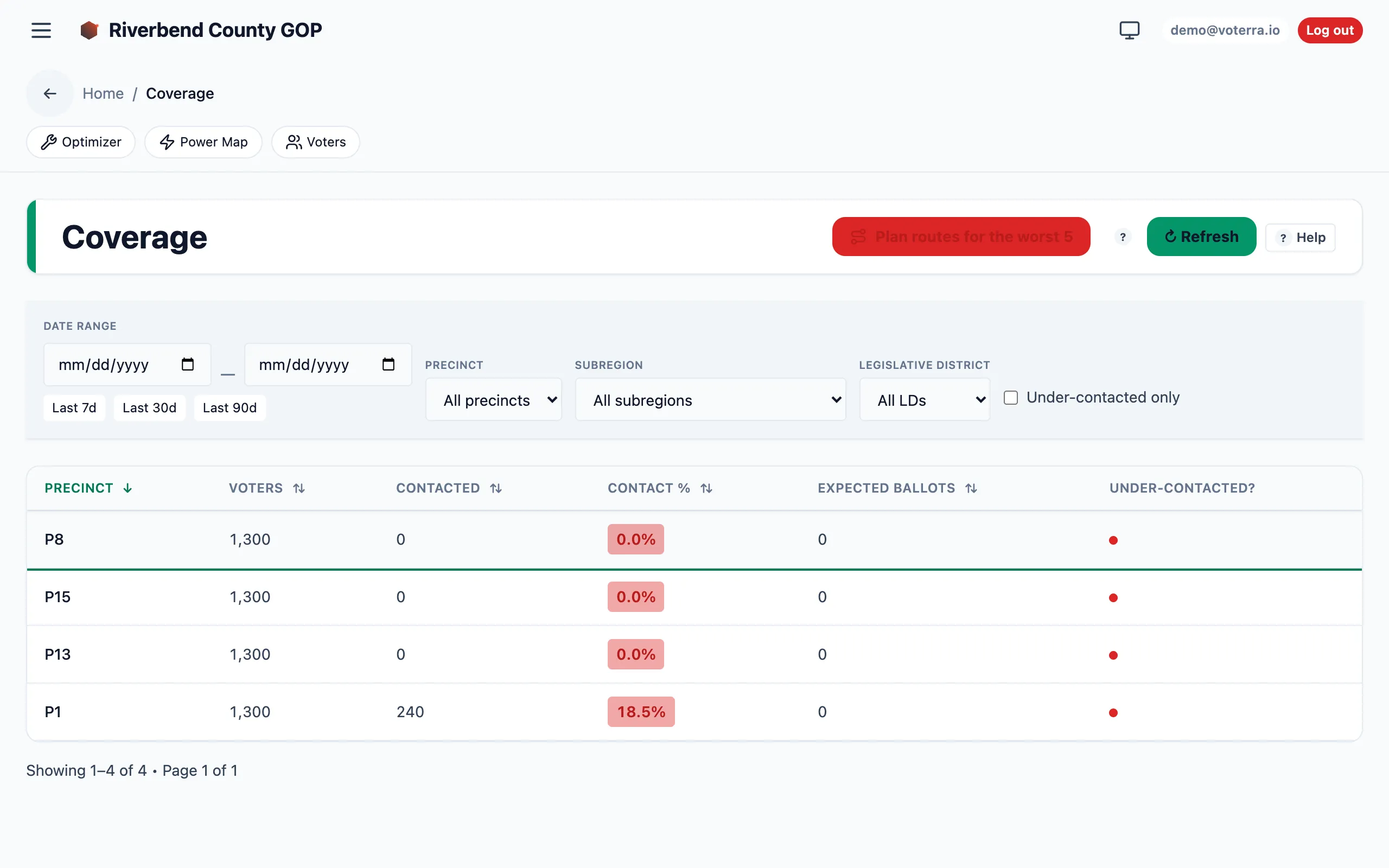
Section titled “Coverage”The Coverage view flips the question from “who should we knock” to “who have we missed.” It shows how much of the targeted universe is already covered by existing routes and where the gaps are, so you don’t double-book a friendly street while a neighboring one goes untouched.
Model Accuracy
Section titled “Model Accuracy”Every other view here tells you what the model predicts. Model Accuracy tells you how well it did — “predicted turnout vs the certified canvass, per reporting jurisdiction.” After an election, once your county publishes its official results and your Voterra team loads them, this view grades the model against them.
Pick an election date and type, and you get four numbers:
- Predicted ballots — what the model expected, summed across your roll.
- Certified ballots — what the county actually counted.
- Calibration ratio — certified ÷ predicted. 1.000 is perfect; below it means the model over-called turnout, above it means the model was too pessimistic.
- Avg. jurisdiction error — how far off a typical jurisdiction was.
Below sits every jurisdiction, sorted biggest miss first, so the places your model misread are the first thing you read. That ranking is the useful part: a model can be reliably 10% high everywhere and still rank precincts perfectly, which is a very different problem from one that gets a few suburbs badly wrong.
If your turf covers only part of a jurisdiction, that jurisdiction is left out and named as excluded rather than shown half-counted — a whole jurisdiction’s official count compared against a fraction of its predictions would be an error the model never made.