
Region scoping
Region scoping narrows where a user can work. By default a user sees the whole organization. Optionally you can restrict them to one or more geographic turfs, and from then on every map, voter list, and rollup they open shows only their turf — nothing else in the organization.
Scope is separate from role. Your role decides what you can do (build routes, send texts, read analytics); your scope decides where you can do it. See Roles & access for the role side.
What a turf is
Section titled “What a turf is”A turf is a piece of your organization’s geography. A user can be scoped to one of two shapes:
- A whole Legislative District — e.g. “LD 12”. The user sees every voter, precinct, and rollup inside that district.
- A subregion — e.g. “12-5”. This is a specific set of precincts within an LD, for when you want to hand someone part of a district rather than all of it.
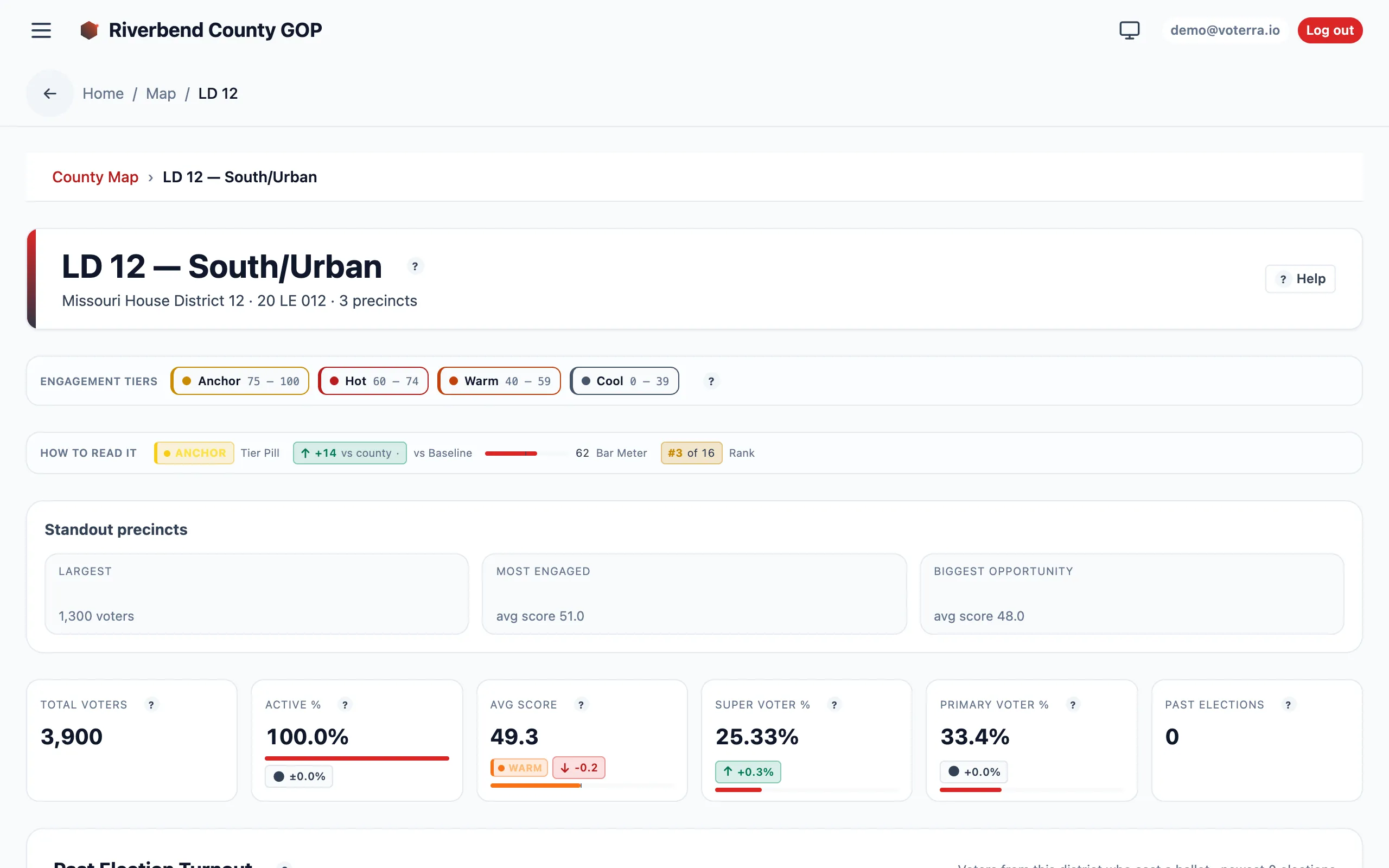
A Legislative District drill-down — the geography, KPIs, and turnout a user scoped to that turf would see.
Multiple turfs add up
Section titled “Multiple turfs add up”A user can hold more than one turf, and their view is the union of them. A coordinator scoped to both “LD 12” and “LD 14” sees everything in either district as a single combined view — the counts, lists, and maps all reflect the whole assignment, not one district at a time.
A user with no scope at all sees the whole organization. This is the default and is unchanged — scoping is something you add, not something that’s on until you turn it off.
It narrows everything, everywhere
Section titled “It narrows everything, everywhere”Scoping isn’t limited to the voter list. Every place data surfaces respects it:
- The map and its geography drill-downs.
- The voter list and any individual PII the user can reach.
- Every analytic and aggregate — precinct and LD rollups, heatmaps, drop-off, turnout, coverage.
- Routes, canvassing, and messaging.
So a scoped user’s headline numbers and their PII lists alike only ever reflect their turf. A coordinator scoped to LD 12 doesn’t see an organization-wide turnout figure with LD 12 highlighted — they see LD 12’s turnout, full stop.
The straddle nuance
Section titled “The straddle nuance”A single precinct can belong to two Legislative Districts — its boundary and the LD boundary don’t always line up, so part of the precinct falls in one LD and part in another. Because of that, a subregion scope matches on precinct and legislative district together, not on precinct alone.
In plain terms: a coordinator scoped to LD 12’s precinct 15 sees the LD-12 voters in precinct 15, but not the LD-14 voters who happen to share that same precinct 15. The scope follows your district, so a straddling precinct never leaks the neighboring district’s voters into your view.
Who assigns scope
Section titled “Who assigns scope”Assigning a scope is an Admin-only action, done from Admin → Users. Org Managers can create users and set their field role, but only an Admin can attach a geographic scope. See the how-to below for the full workflow.