
Tenants and roles
Organizations
Section titled “Organizations”An organization is a campaign entity — a county party, a candidate committee, a statewide org. Voterra hosts many organizations side by side, each with its own voters, routes, users, scoring-weight settings, and trained predictive models.
The organization is the unit of billing, branding, and — most importantly — data isolation. A user in Organization A has no way to read, write, or even list data in Organization B, even if the same email address also has a separate membership in Organization B.
How isolation is enforced
Section titled “How isolation is enforced”Isolation is enforced on Voterra’s servers, on every request — it is not just a screen filter:
- Every read is filtered to your organization at the platform level, not left to individual features to remember. That’s what makes leakage structurally hard.
- Every write is stamped with your organization before it’s saved. A route or knockback created under one organization is unreachable from another.
- Lookups that cross records (a route, to its stops, to their voters) are checked at every step. Guessing an id from another organization returns nothing — not even confirmation that the record exists.
The role model
Section titled “The role model”Roles are per-organization. The same email address can be an Admin in one organization and a Viewer in another — they are independent memberships, each with its own role.
| Role | Intended use |
|---|---|
| Admin | Organization operator. Everything inside their own organization — users, import, settings, compliance. |
| Org Manager | Organization owner. Full access inside the organization, including user management. |
| Coordinator | Route owner. Builds, assigns, and reviews routes. No user management. |
| Analyst | Read-only analytics across voters, routes, and rollups. Cannot write. |
| Canvasser | Sees only the routes assigned to them. Logs knockbacks; no global read. |
| Viewer | Read-only across the organization. Intended for stakeholders and observers. |
| Messenger | Peer-to-peer SMS sender. Sees voters and sends one-to-one texts; no messaging design. |
| SMS Manager | Batch SMS author. Builds templates, defines audiences, attests TCPA consent; no bulk PII export. |
| Candidate | A candidate’s own bounded login. Sees PII and analytics inside their own turf only; no bulk export, no routing, no messaging, no user management. |
New members start as Canvassers unless you choose otherwise; an Admin or Org Manager promotes them from there. For the full feature-by-feature breakdown, see Roles & access.
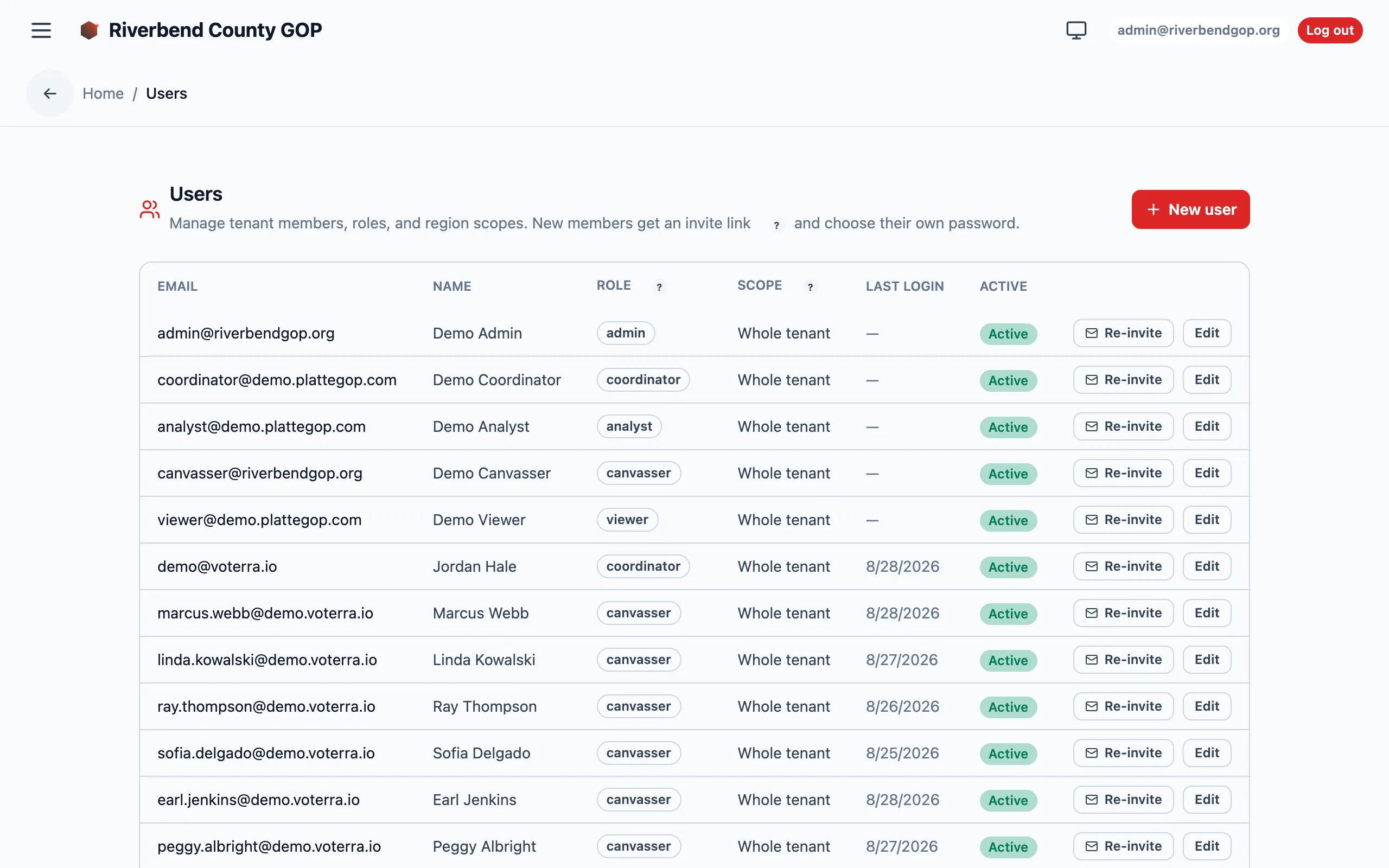
Admin → Users — where each member’s role and scope live. Details blurred for privacy.
Switching organizations
Section titled “Switching organizations”If your account belongs to more than one organization, the organization switcher in the app lists every membership. Picking one moves your whole session — everything you see from that point on belongs to the organization you picked, under the role you hold there.
Because the binding is baked into the session itself, a single request can never straddle two organizations.
Modeling multi-org deployments
Section titled “Modeling multi-org deployments”For a state party hosting many county organizations:
- One organization per county is the common shape. It gives each county its own roll, scoring settings, and user list.
- No role crosses the organization fence. An id belonging to another organization simply isn’t found — Voterra never even confirms it exists. There is no super-admin role that sees everything.
- A person who works several counties gets one membership per organization and uses the switcher. Roles are per-membership, so they can be an Admin in one county and a Viewer in another.
- Statewide reporting is therefore per-organization, rolled up outside the app — not a cross-organization query.