
Coordinator
You’re a coordinator — the field’s air-traffic control. You own routes: you build them, assign them, watch them run, and review what comes back. You can’t manage users or import rolls, but everything between a targeted universe and a completed shift is yours.
Your day
Section titled “Your day”-
Cut the turfs. From Voters → Map, lasso a cluster, or use the Resource Optimizer to split a neighborhood into balanced turfs.
-
Assign crews. From the routes list, assign each route to a canvasser. Unassigned routes sit in your dispatch queue.
-
Watch it live. The activity dashboard shows contact rate, pace, and pins flipping color in real time. Check the device beacon before rebriefing anyone whose numbers dip.
-
Review the AARs. Clear the canvass review inbox — confirm or correct the field notes that couldn’t be applied automatically and need your judgment.
-
Check coverage. Use the coverage view to make sure the targeted universe is actually being reached, not just the easy streets.
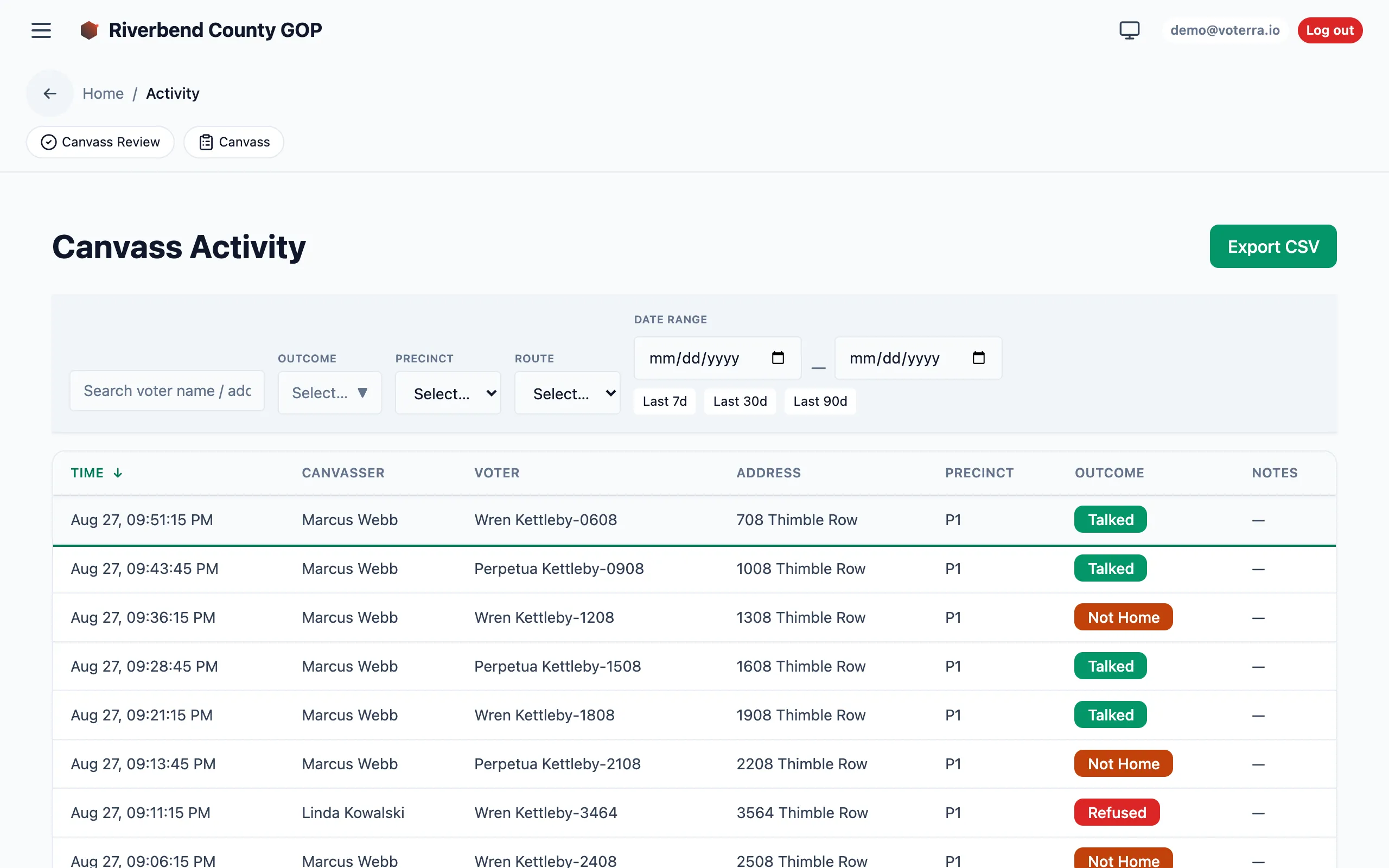
The Canvass Activity log lets you watch the field in real time (voter and address details blurred for privacy).
What you can and can’t do
Section titled “What you can and can’t do”- ✅ Build/assign/review routes; read the full roll and analytics; work shifts.
- ❌ Manage users, import rolls, or touch admin-only settings.
You may be region-scoped to one or more turfs — a Legislative District or a subregion of precincts. If so, your map, voter lists, and analytics all narrow to that turf. See Region scoping.