
Candidate
You’re a candidate with your own login. Everything you open is already narrowed to your race: your district’s map, the voters inside it, and the doors your team knocked for you. You never have to filter the county down to yourself — the turf does it automatically.
You are also the one role that sees both sides of the product. Analysts get the numbers without voter names; messengers get the names without the numbers. You get both, bounded to your own district rather than the whole organization.
What’s yours
Section titled “What’s yours”- My Profile — the photo, bio, and links voters see.
- My Volunteers — the people working your race, and adding more of them.
- My Responses — what voters told your canvassers at the door.
- Your map and voters list — the same instruments the committee uses, walled to your district.
Your first ten minutes
Section titled “Your first ten minutes”-
Fill in your profile. Open My Profile and add your photo, bio, and links. See Your profile below for what you control and what your committee controls.
-
See who’s already on your race. Open My Volunteers. Your committee may have staffed people to you before you ever signed in — they appear under Also working your race.
-
Check Home. Your Your team play shows how many people are working your race, so the count is answered before you click.
-
Read the doors. My Responses shows what voters said to your canvassers — the issues they raised and how they leaned.
Your profile
Section titled “Your profile”My Profile is split into what you write and what your committee sets.
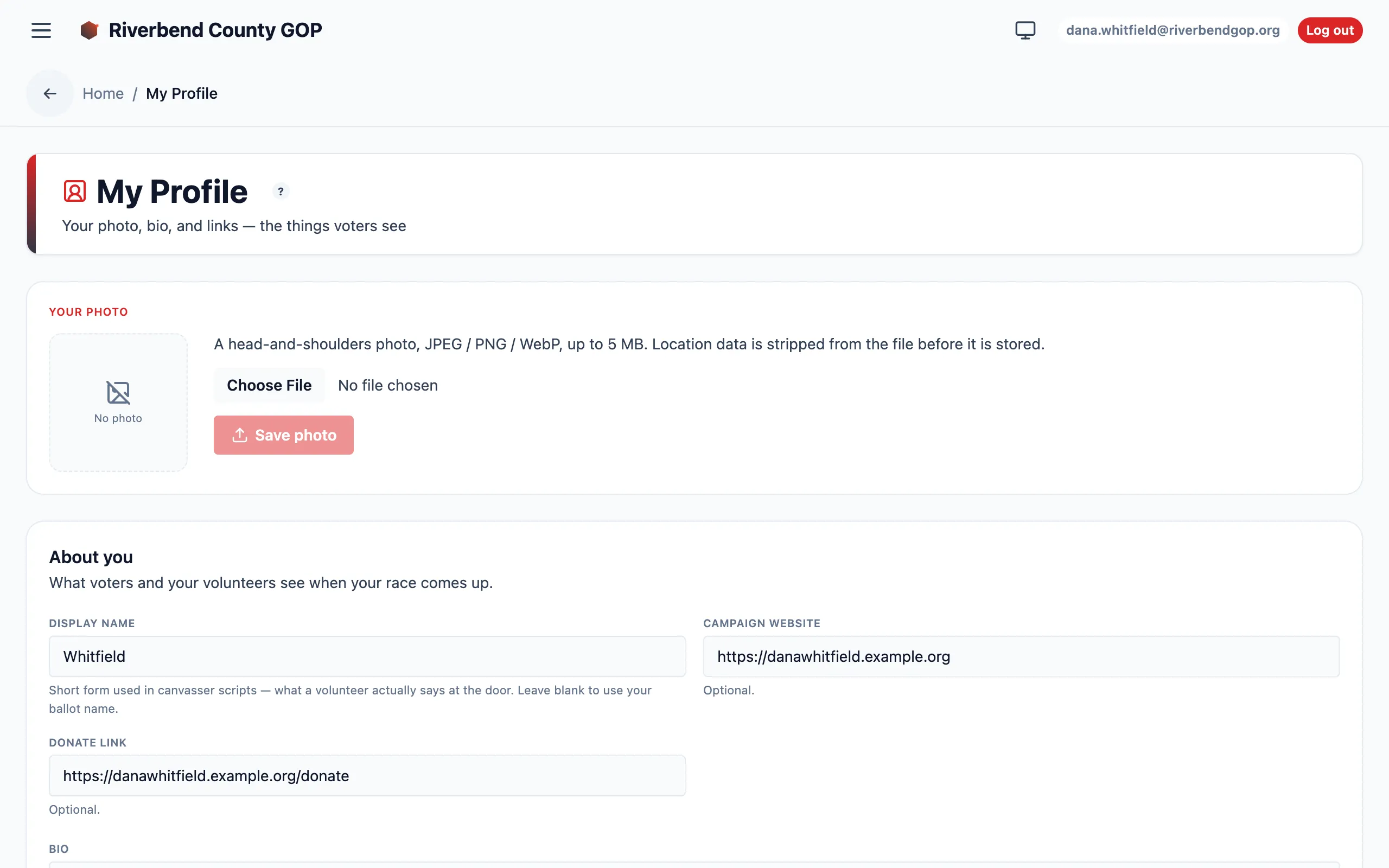
My Profile — the photo card and the fields voters see.
You control your display name, your photo, your bio, your website, your donate link, and your social accounts. The bio field asks the right question directly: “Who you are and why you’re running.” Changes save immediately and confirm with Profile saved.
For the photo, use a head-and-shoulders image — JPEG, PNG, or WebP, up to 5 MB. Location data is stripped from the file before it is stored, so a photo taken on a phone will not carry the place it was taken. A picked file that you haven’t saved yet is marked Not saved yet, so you always know whether what you see is live.
Your committee controls the block headed Set by your committee: your ballot name, office, party, district, and election date. You can see all of it — so you can notice when one is wrong — but you can’t edit it here. These fields decide which doors and which responses belong to your race, so changing them is a committee decision. If one is wrong, ask your committee admin to fix it.
Your volunteers
Section titled “Your volunteers”My Volunteers answers “who is working my race?” and, if your committee has granted it, lets you add more people.
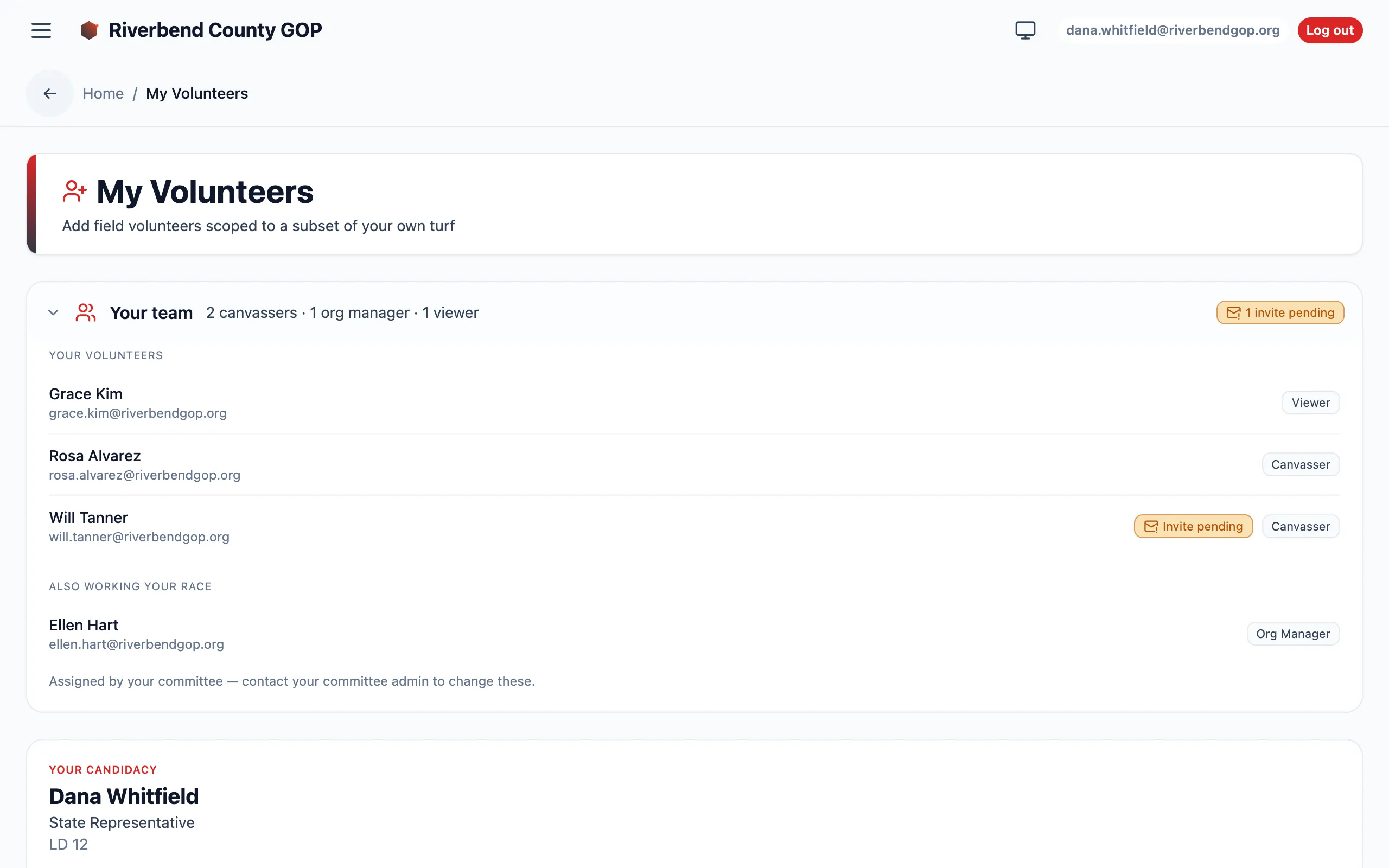
The roster, expanded. The summary line and the invites-pending pill are visible before you open it.
The roster sits at the top as a single line you can expand — it summarizes itself by role (“2 canvassers · 1 org manager · 1 viewer”), so the answer is visible without a click. If anyone has been invited but never signed in, an invites pending count sits beside it. Expanded, the roster splits in two:
- Your volunteers — the field people working your doors. These are yours to manage.
- Also working your race — committee staff assigned to you. This group is read-only on purpose: they answer to the committee, not to you, so there’s no remove button. It exists so you can see them.
Anyone who hasn’t claimed their account yet is marked Invite pending — the same badge your admin sees — so you can tell the difference between a volunteer who is quiet and one who never picked up their login.
Your issues
Section titled “Your issues”If your organization runs more than one race, campaign issues can belong to a single candidate instead of the whole organization. Your issues are yours: at the door, a canvasser walking your slate sees the organization’s shared issues plus the ones that belong to you, labelled with your name. See Campaign content for how your committee sets them up.