
Campaign content
Campaign content is the shared message library. It’s what keeps a canvasser at the door and a messenger in the queue saying the same thing the campaign actually wants said — and it’s where issue tags captured in the field come full circle.
Campaign issues
Section titled “Campaign issues”The Campaign Issues view is where you define the issues the campaign runs on and set their priority. These issues are the same tag list canvassers pick from when they log a Talked outcome, so configuring them here drives both outgoing messaging and the narrative clustering on the analytics side.
Org-wide issues vs. one candidate’s issues
Section titled “Org-wide issues vs. one candidate’s issues”Every issue belongs either to the whole organization or to a single candidate. You choose with the Candidate dropdown when you add an issue, and you can change it later from the same row.
| Setting | Who sees it at the door |
|---|---|
| All candidates (org-wide) | Every canvasser, on every walk. Use it for the concerns your whole slate runs on — property taxes, public safety. |
| A specific candidate | Only on walks that candidate is on. Use it for the issues that belong to one race and would confuse a volunteer on another. |
This matters as soon as you are running more than one race. A sheriff candidate and a state representative do not campaign on the same things, and a flat list forces a volunteer at a sheriff’s door to scroll past school-curriculum tags that have nothing to do with the conversation they are having.
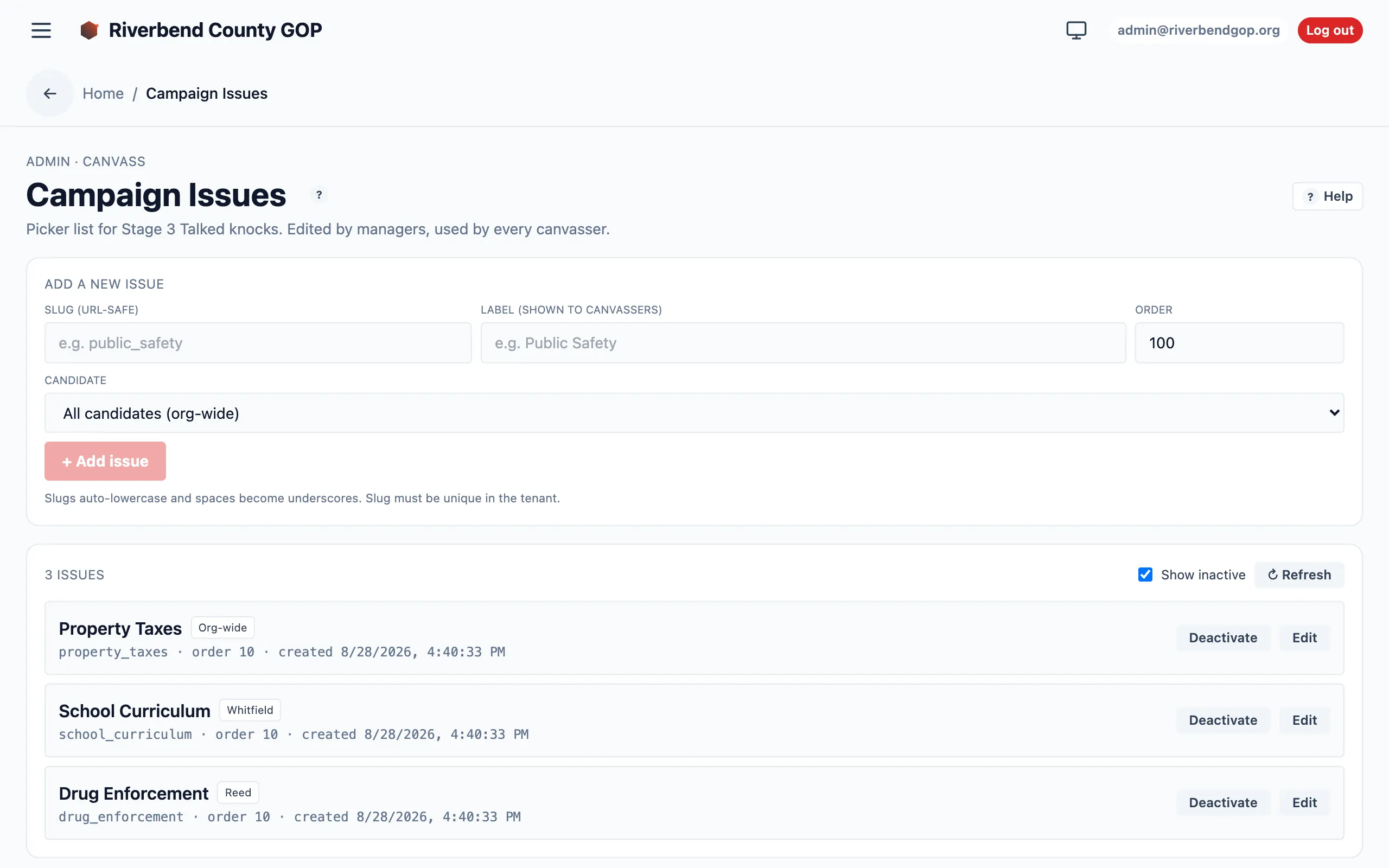
Each issue carries a badge showing its owner — “Org-wide”, or the candidate it belongs to. The list puts org-wide issues first, then groups each candidate’s issues together.
At the door, a canvasser sees your org-wide issues plus the issues of whoever is on that walk’s slate — nothing else. Issues that belong to a candidate are labelled with that candidate’s name on the tag, so a volunteer knocking for two people can tell whose issue they are recording.
Changing an issue’s owner only changes who sees it going forward. Doors already knocked keep the tags they were recorded with.
Talking points
Section titled “Talking points”The Talking Points view holds the approved message templates and guidelines — the campaign’s official framing for each issue. This is the source of truth a canvasser or messenger reaches for when they need the right words.
Scripts
Section titled “Scripts”The Scripts view provides door-knock scripts organized by engagement tier. A Super Voter and a Cool-tier voter warrant different openings, so scripts are tier-aware: the right script for the door the canvasser is standing at.
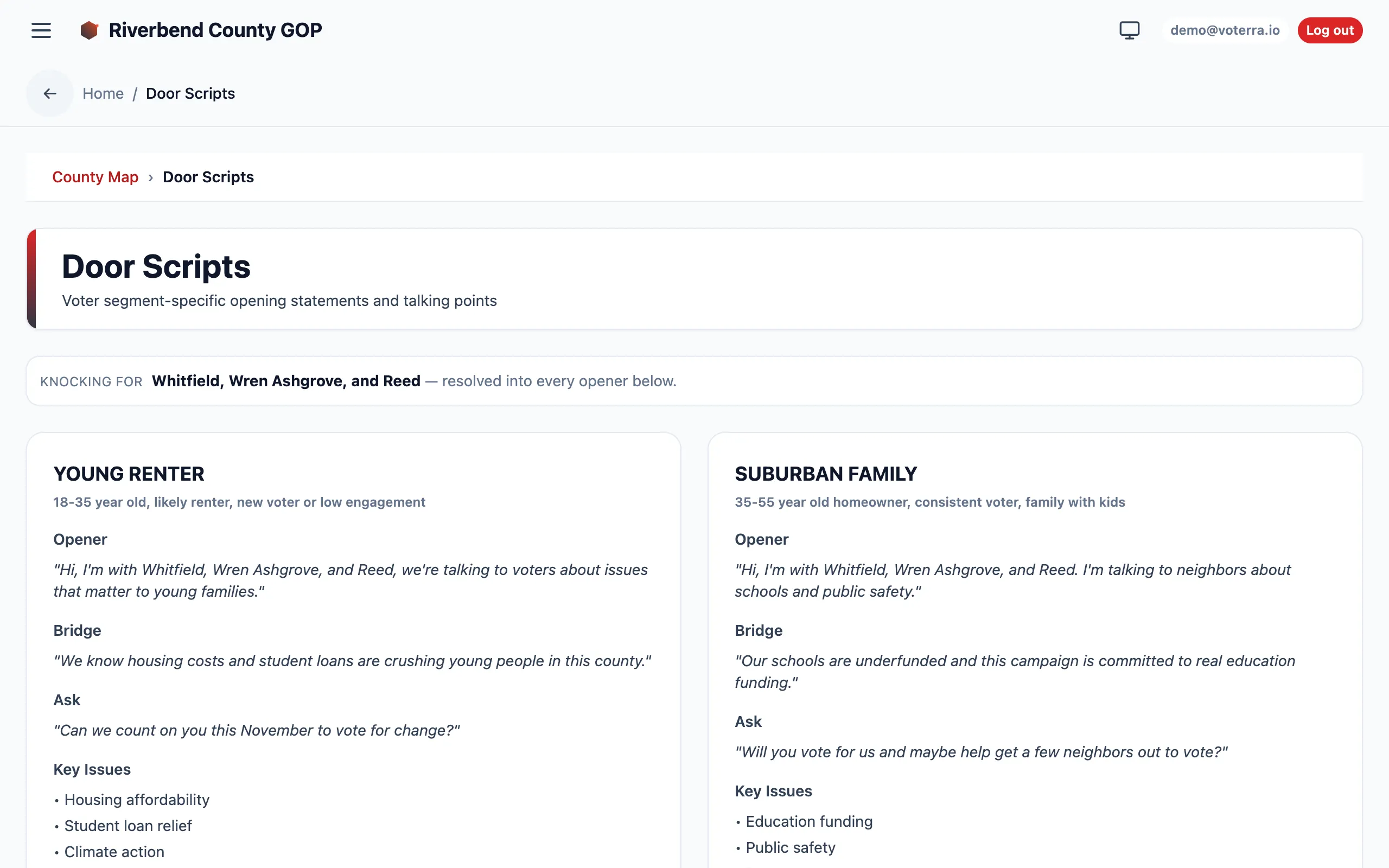
Each segment card breaks a door script into Opener, Bridge, Ask, and Key Issues.
Who manages this
Section titled “Who manages this”Campaign content is authored by organization managers and admins, and analysts can read it. See Roles & access.