
Canvass lifecycle
A canvass is the full arc from a coordinator assigning a route to yesterday’s field notes being stamped back onto the roll. This page walks the phases end to end.
1. Assignment
Section titled “1. Assignment”A coordinator assigns a route to a canvasser from the route itself. The route flips from Draft to Assigned. On the canvasser’s side it appears under the Routes tab, filtered to today or an upcoming shift window. The coordinator can reassign or unassign at any time before the first stop is logged.
2. Shift start
Section titled “2. Shift start”When the canvasser opens a route and taps Start, Voterra opens a shift: a time-bounded container every knockback on that walk belongs to. Shift state machine:
stateDiagram-v2
    [*] --> Draft
    Draft --> Assigned: coordinator assigns
    Assigned --> InProgress: shift opened
    InProgress --> Complete: all stops logged or coordinator closes
    InProgress --> Paused: canvasser pauses
    Paused --> InProgress: resumed
    Complete --> [*]
Shift context (start time, canvasser id, route id) is attached to every knockback written during the shift, which makes throughput, contact rate, and pace trivially computable later.
3. Knockback capture
Section titled “3. Knockback capture”At each door the canvasser records an outcome. Every entry is stamped with a timestamp, the active shift, and — when the phone shares its location — GPS coordinates. There are two ways to log a door:
| Path | When to use |
|---|---|
| From a route stop | Route-driven: the canvasser is walking a planned stop sequence and logs each stop as they go. |
| From the shift | Shift-driven: the canvasser is free-canvassing, off-route, or logging an unplanned door. |
Outcome values
Section titled “Outcome values”Each door gets one of six outcomes:
| Outcome | Meaning |
|---|---|
| Talked | Conversation captured. Support level (1–5) and issue tags are usually attached. |
| Not home | No one answered. Flagged for a potential follow-up pass. |
| Refused | Explicit no-contact. The door will not be routed to this canvasser again. |
| Moved | The voter no longer lives here. Feeds the roll-cleanup queue. |
| Come back | Someone was home but the right voter was not. Queued for a retry window. |
| Do not contact | Hard suppression. Excludes the door from all future routes for your organization. |
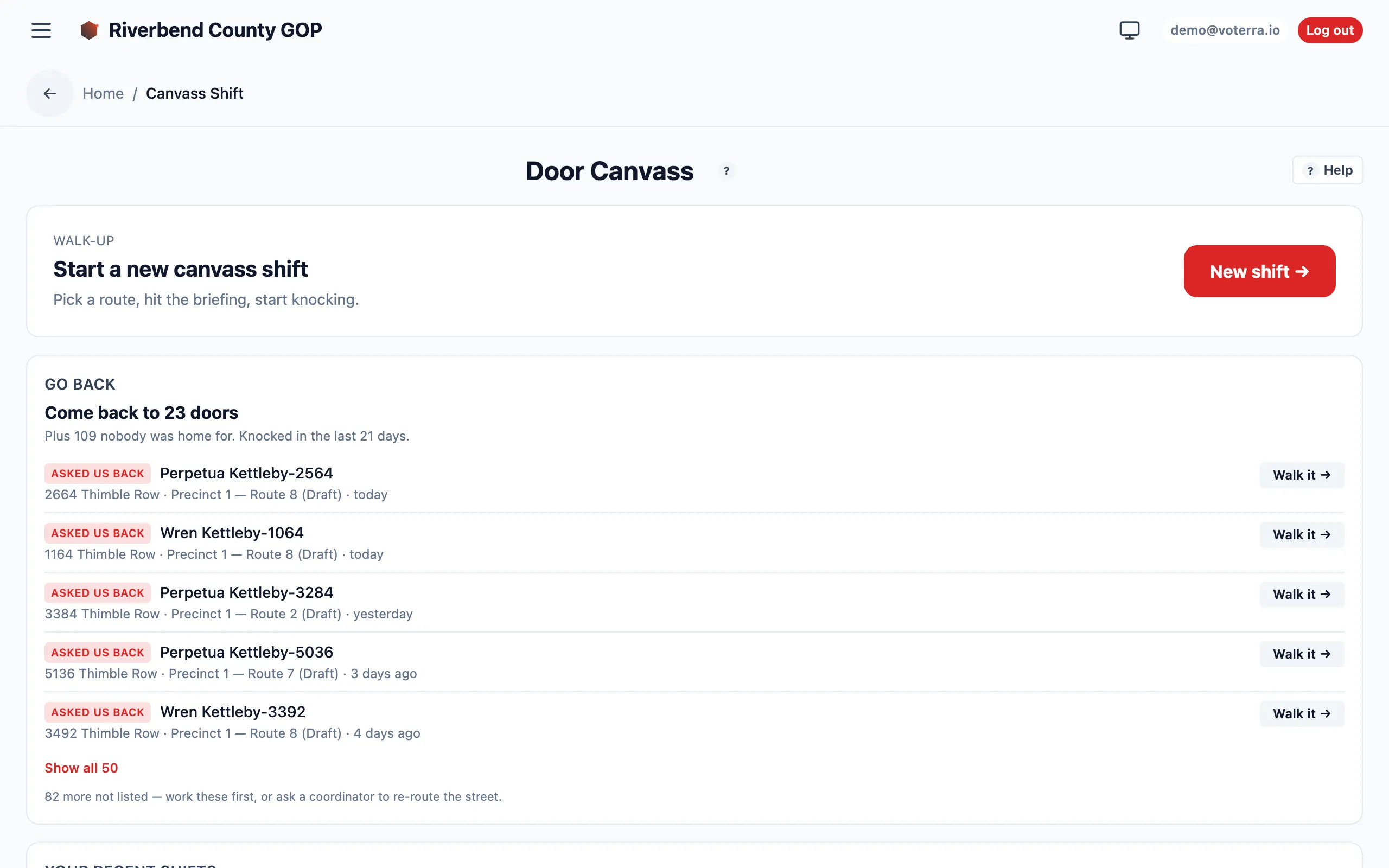
The canvasser’s Door Canvass view — start a shift, then log outcomes against each door.
4. AAR feedback replay
Section titled “4. AAR feedback replay”At end of shift the canvasser submits an After-Action Report (AAR) — free-text notes plus tagged observations (bad address, duplicate, issue theme, etc.). AARs land in a review queue.
Voterra sweeps that queue about once a minute and:
- Auto-applies the eligible observations — moved flags, address corrections, explicit issue tags.
- Leaves higher-risk observations in the queue for a human reviewer (a coordinator).
The output is that what happened in the field yesterday reshapes the route that goes out today, without a coordinator hand-editing records.
5. Analytics rollups
Section titled “5. Analytics rollups”Once knockbacks are landing, the office gets a live read:
- Voter rollups — counts by tier and party, average score.
- Analytics views — drop-off detector, engagement heatmap, narrative clusters.
- Canvass metrics — route completion, canvasser throughput, contact rate, knockback heatmap.